Theme Setting
How to switch between Light, Dark, and Match device in the account menu.
The Theme setting changes the appearance of HOSHIDOU. Choose one of three options to match your preference or environment.
Three theme options
Light
A white background with dark text. It works well in bright environments and gives clear contrast for fine chart details.
Dark
A dark background with light text. It reduces eye strain in low light and suits nighttime use.
Match device
Follows your device’s light or dark mode setting automatically. This is the default.
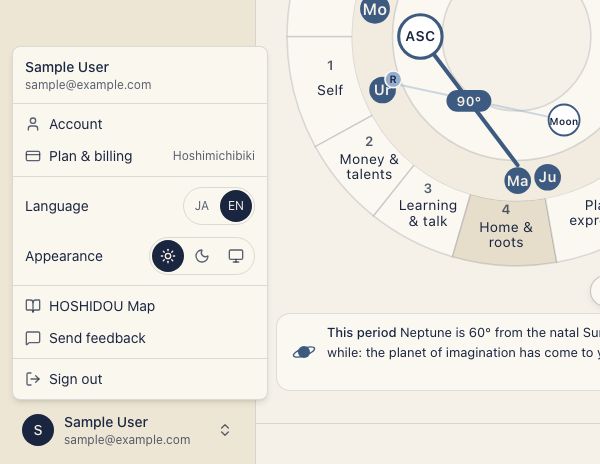
How to change
Open the account menu at the bottom of the sidebar. Under Appearance, choose Light, Dark, or Match device, and the appearance updates immediately. To use the account page, open Account and select Language & appearance, then Theme. The account menu says Match device and the settings screen says System; they mean the same thing.
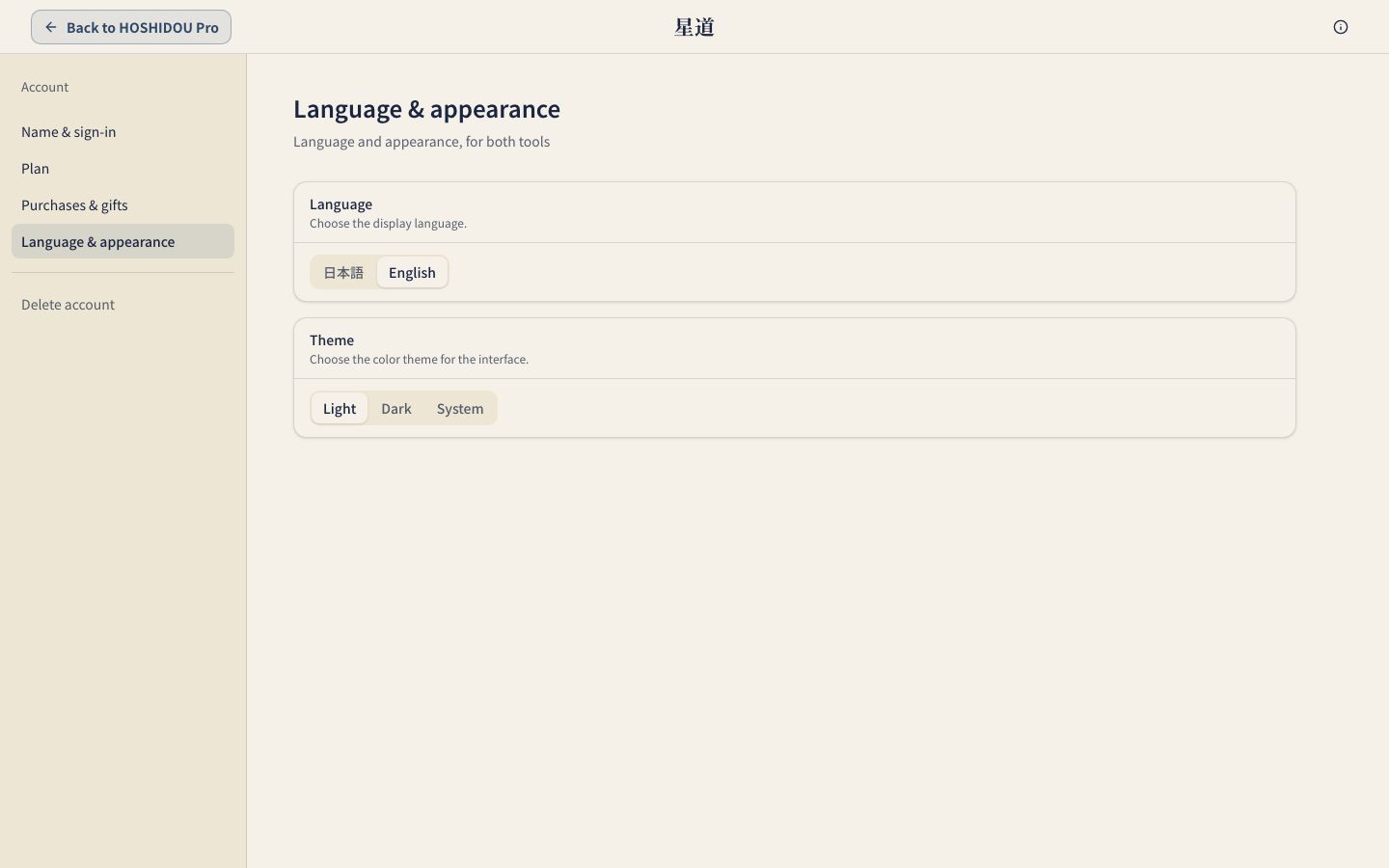
Chart color theme vs. app theme
The Theme setting controls the overall app appearance. The colors on the wheel are configured separately. To change them, see Chart Color Theme. To change the interface language, see Language Setting.