Calculation Presets
How the Modern Western, Traditional, and Evolutionary presets switch planets, points, aspects, house system, and orbs in one step, plus the default settings and calculation basis.
A calculation preset applies a complete set of planet, point, aspect, house system, and orb settings in one step. In the app it is called “Preset”. The second half of this page lists what the default (standard) setup contains and what HOSHIDOU assumes when it calculates.
Three presets
Modern Western (Modern)
A configuration commonly used in contemporary Western astrology. It shows the ten planets from the Sun to Pluto, plus Chiron and the North Node. Its six aspects are conjunction, opposition, trine, square, sextile, and quincunx, and the house system is Placidus.
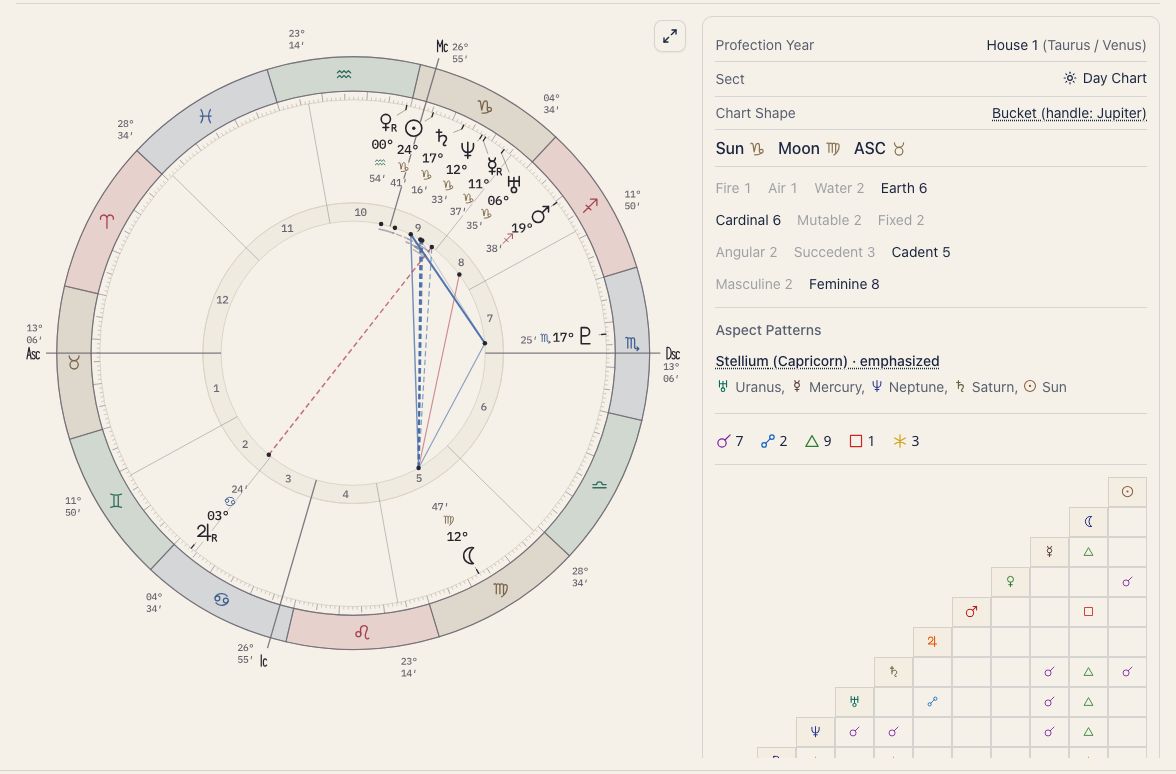
Orbs are 8° for conjunction, opposition, trine, and square, 5° for sextile, and 3° for quincunx.
It is a good choice for beginners, or anyone who wants charts to match the conventions in most books and online resources.
Traditional
A configuration rooted in traditional techniques. It shows the seven classical planets, Sun through Saturn, plus the North Node. Its five aspects are conjunction, opposition, trine, square, and sextile, and the house system is Whole Sign.
Orbs are 10° for conjunction and opposition, 8° for trine and square, and 6° for sextile. Uranus, Neptune, and Pluto are hidden, so you can focus on classical interpretation.
Evolutionary
A configuration in the evolutionary astrology tradition. It shows the ten planets from the Sun to Pluto and the nodal axis (North Node and South Node). Its aspects are the five major aspects plus the quintile, and the house system is Placidus.
The major-aspect orbs match Modern Western (8° for conjunction, opposition, trine, and square, 5° for sextile), and the quintile is 2°.
It adds the nodal axis and the quintile for readers of evolutionary astrology, a school that reads themes of change over a long span of time.
What each preset changes
Every preset changes these settings at once:
- Which planets and points are shown
- Which aspect types are on
- House system
- The orb for each aspect
How to apply a preset
Open Display settings with the gear on a chart screen, Home, or Ephemeris. On the Look tab, press the preset you want under Preset. “Current setup” shows its name. Pressing a preset overwrites the settings above in one go.
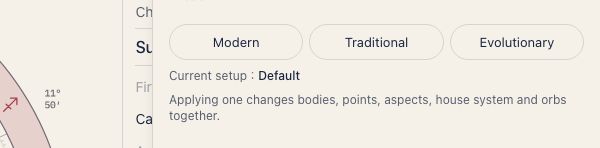
If you change an individual setting afterwards, “Current setup” becomes “Custom”. When nothing matches, it says “Does not match any preset.”
Default settings and calculation basis
Default settings
This is what you get when you have changed nothing. Reset to standard returns a group to this state.
| Setting | Default |
|---|---|
| Planets shown | The ten planets from the Sun to Pluto. Chiron, the nodes, Lilith and the sensitive points are off |
| Aspects | Conjunction, opposition, trine, square and sextile |
| Orbs | 8° for conjunction, opposition, trine and square; 5° for sextile |
| Sun and Moon bonus | +2° each |
| House system | Placidus |
| Zodiac system | Tropical |
| Reading level | Beginner |
| Arabic Parts | Part of Fortune only |
| Triple wheel orbs | 3° for transit, 1° for progressed |
If you switch on the minor aspects, their orbs are 3° for quincunx, 2° for semi-sextile, semi-square and sesquiquadrate, and 1.5° for quintile.
The default matches none of the presets. Modern Western is the default plus Chiron, the North Node and the quincunx.
Calculation basis
- The North Node and Lilith are calculated as true positions. Mean positions are not available.
- The sidereal ayanamsa is fixed to Lahiri. You cannot choose another.
- When the birth time is unknown, the chart is calculated for noon. The houses and the ASC are not reliable. Some screens, such as the triple wheel, the applied charts, and the compatibility score, cannot be opened without a birth time.
- Ephemeris positions are the values at noon Universal Time each day.
- A void-of-course Moon is decided by whether the Moon makes a major aspect (conjunction, sextile, square, trine or opposition) to any of nine bodies, the Sun and Mercury through Pluto, before it enters the next sign.
- How progressions are worked out is on Triple wheel, solar arc on Solar arc, and composite charts on Composite chart.
- Star Scrolls are always calculated with Placidus and the tropical zodiac, whatever your Display settings are. AI connections use Placidus and the tropical zodiac unless the AI specifies otherwise (Display settings are not used).
Related pages
- House System — details of the house-division methods the presets switch between.
- Points and Aspects — manual control over the same planets, aspects, and orbs.
- Traditional Techniques — dignities and reception, which the Traditional preset suits.