Star Scrolls
How to choose a Star Scroll, enter birth details, pay, read it, and save it as a PDF. Also where your books are kept and how a book calculated without a birth time reads.
A Star Scroll is a written report: the sky of your birth day, turned into a book by AI. It works from the numbers in your chart to describe personality, relationships, or the themes of a stretch of time.
Star Scrolls are billed separately from your paid plan. Whatever your plan, you buy them one at a time. Prices are on Star Scroll pricing.
Star Scrolls are always calculated with Placidus houses and the tropical zodiac, whatever your display settings, and they read the five major aspect types. They use your own orb settings.
Getting to Star Scrolls
The app has two parts: HOSHIDOU Pro, where you work the charts yourself, and Star Scrolls, where you buy readings one at a time. Switch with “Star Scrolls” at the bottom of the sidebar. On the Star Scrolls side the same spot reads “HOSHIDOU Pro” and takes you back. See HOSHIDOU Pro and Star Scrolls.
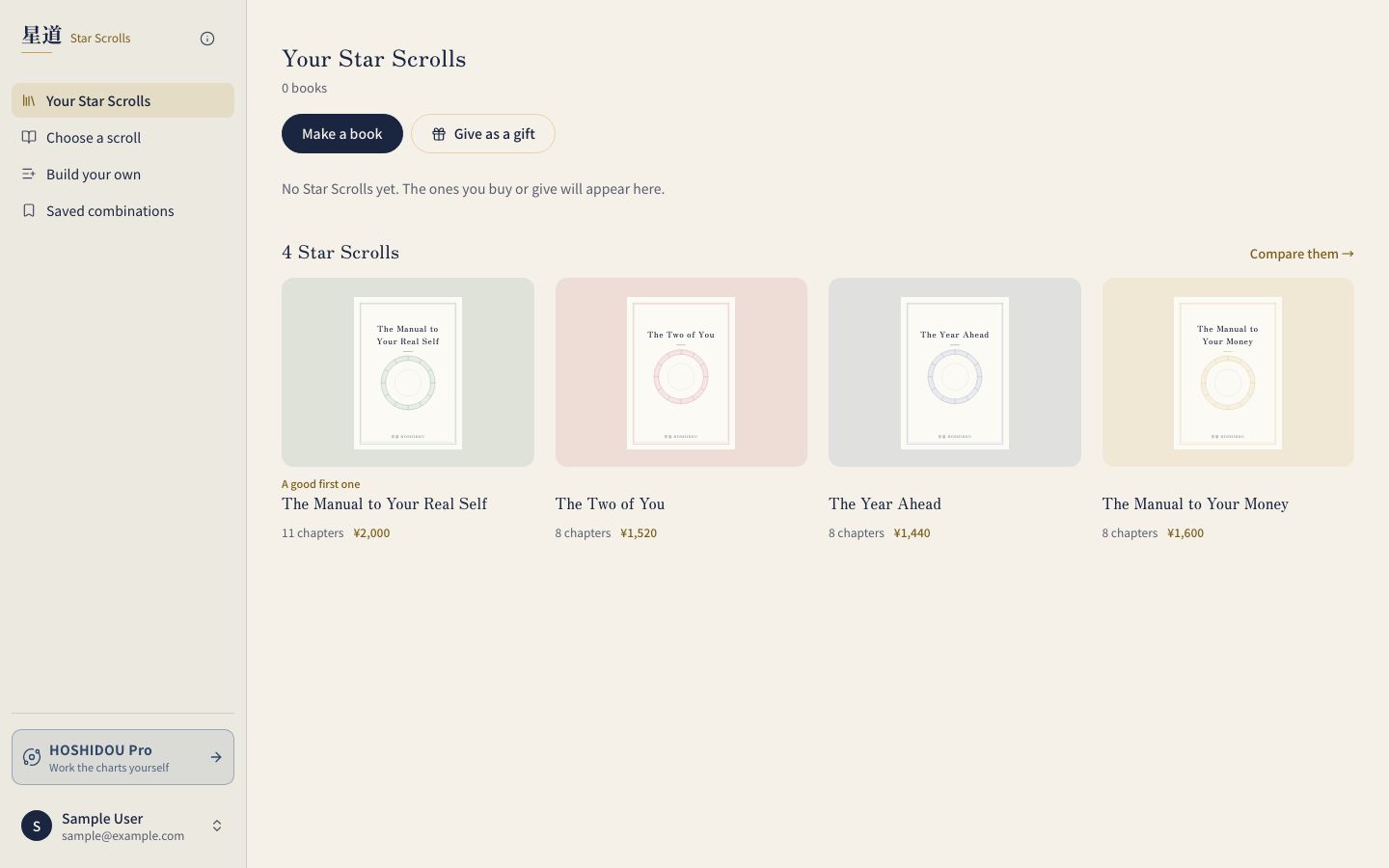
The Star Scrolls menu has four items:
- Your Star Scrolls: the library where your books are kept and read
- Choose a scroll: pick a ready-made Star Scroll
- Build your own: assemble a book from sections you pick
- Saved combinations: where assembled combinations are saved
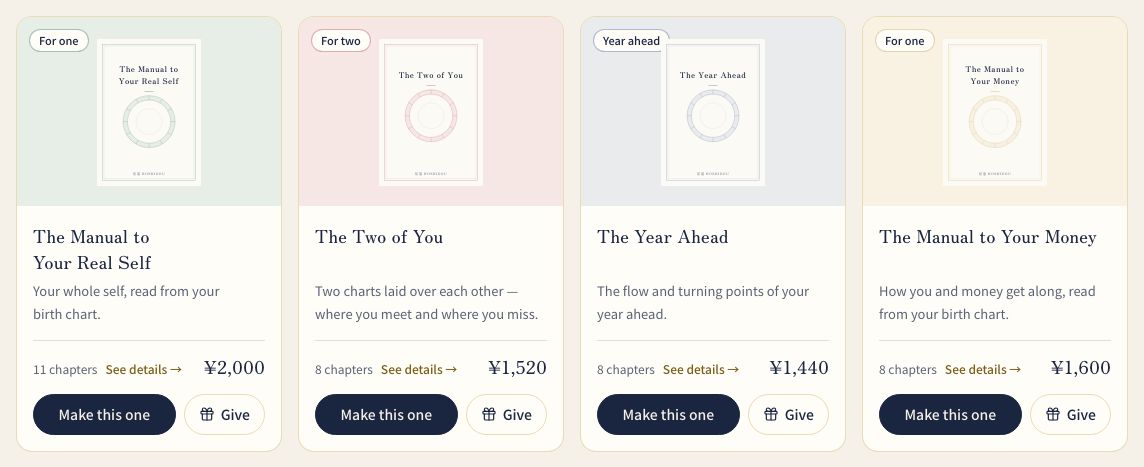
Star Scroll types
The Manual to Your Real Self
A natal Star Scroll based on your birth chart. It reads planet placements, houses, and aspects together to describe your personality, strengths, and life themes.
The Two of You
A synastry Star Scroll based on the cross-aspects between two charts. It covers how the two of you relate, and the strengths and challenges of the connection. It needs birth details for both people.
The Year Ahead
A Star Scroll built from the transits to a natal chart. It explains the themes of the year, the planetary movements to watch, and the openings and cautions.
The Manual to Your Money
A Star Scroll that reads your relationship with money from your birth chart.
Buying and reading a Star Scroll
First, “Choose a scroll” shows a card for each book, with its chapter count. Pick “Make this one” on the book you want. To pick the sections yourself, use the “Build your own →” link instead.
After you choose, a progress bar at the top shows where you are. For a book for yourself the steps are Birth details, Review & pay, and Read.
Birth details
When you are signed in, the app asks “Who is this book for?” You can pick from your saved birth details or choose “Enter new birth details”. A book for two people asks for the first and second person in turn.
You enter:
- Date of birth
- Birth time (or “I don’t know” if you are unsure)
- Place of birth
- The name for the cover (a nickname is fine)
- For a book for two, the check box “I have my partner’s consent”
“The cover of your book” appears on the entry and final review screens. It changes as you fill in the name and details.
If you buy without signing in, enter the birth details first. The “Email for delivery” field appears at final review. When the book is free, the review screen takes you through free registration instead.
If you don’t know the birth time, choose “I don’t know”. See “A book calculated without a birth time” below.
Review and pay
The “Final order review” screen is the last look. Each row (who it is for, the name, the period, the addressee, the message, the chapter count) has a way to correct it. “Use a discount code” opens the code field.
The screen also states what you receive, how payment works, and the refund terms. Once writing has started, a refund is not possible. If the writing fails, the book is rewritten for free, and if it still can’t be delivered, you are refunded.
When everything looks right, press “Place order and go to payment” and pay by credit card. A free order instead shows “Create it for free” or “Issue it for free”. If you go back, reload the page, or return from the payment page, what you entered is kept. Prices are on Star Scroll pricing.
Read
After payment, the book is written in a few minutes once your account is ready. You can close the page, and an email tells you when it’s ready. Open the finished book with “Read” in “Your Star Scrolls”. If you paid without signing in, the app first tries to sign you in automatically. If it asks for a code, press “Email me a 6-digit code” and enter the code sent to your checkout email to start the writing.
Build your own
Pick the sections (modules) you want and put them in the order you like.
- Open “Build your own” in the Star Scrolls menu
- Choose what to read in the tabs: “Yourself” (from your birth chart), “The road ahead” (the flow of a period), or “Together” (from two birth charts)
- Pick sections from the cards. “Read a sample” on each card shows how that section reads
- Choose the depth of each section: Light, Standard, or Deep. A deeper section runs longer and changes the price
- In the cart on the right, reorder sections or rename a chapter heading. If you include a “road ahead” section, also choose the “Period”
- Press “Create this book”, then continue to birth details and payment
“Yourself” and “The road ahead” sections can share one book. “Together” is a book of its own. On this route the progress bar begins with a “Build” step.
“Save the combination” keeps your combination. Saved combinations are in “Saved combinations” in the Star Scrolls menu, where you can use “Generate” or “Rebuild”.
A book calculated without a birth time
If you don’t know the birth time, the book calculates planet positions for noon at the birth place. Three things change.
- The table of contents carries a “calculated without birth time” mark, and the text carries a notice
- Chapters that depend on the time of birth can’t be written or are given only as a rough guide. The screen before you pay lists the chapters affected
- The Moon moves about 13 degrees a day, so it can sit six or seven degrees from its real position
When you leave the time empty, a check box on the review screen asks for your agreement. During the beta it reads “I agree that it will be calculated and written for noon (12:00). During the beta, a rewrite after I learn the birth time is free.” After the beta it reads “I agree that it will be calculated and written for noon (12:00), and that if I learn the birth time later, a rewrite is a new, paid book.” Tick it to continue. Your agreement is recorded with that book.
If you later learn the birth time, you can have the book rewritten as a new book. That is free during the beta and charged afterwards. For how to read a chart without a birth time, see If the birth time is unknown.
Where your books are
- Your Star Scrolls: books you bought and books you received. Use “Search titles and names”, Person, Kind, and Sort to find one. Switch between “List” and “Shelf”, and group shelves by “Person” or “Month”. New books carry a “New” badge; “English edition” and “Japanese edition” identify the language. Use “Gifts” to filter the books you sent. “Read” opens a book
- Purchases & gifts: in your account, this page shows books you bought and gifts you sent. Payments for your paid plan appear under “Invoices” on the account’s “Plan” page
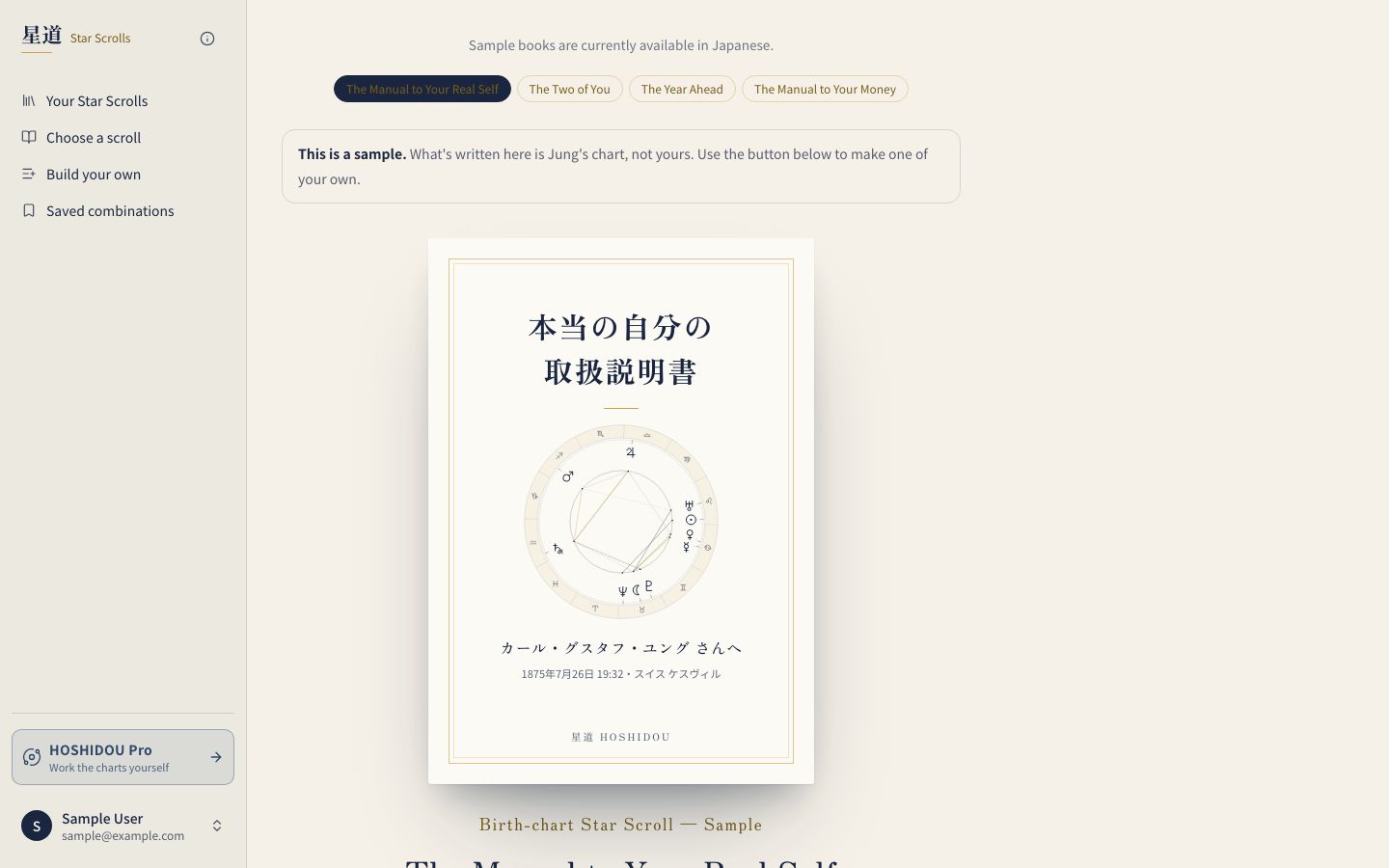
- Samples: you can read samples of the natal, two-person, year-ahead, and money books before you buy
“Save as PDF” on the reading screen saves the book as a PDF.
Gifts
You can give a Star Scroll as a gift. See Give a Star Scroll for how to give one and how the recipient receives it.
Questions
If something goes wrong with a Star Scroll, see Contact. The app’s contact page opens with “Star Scroll (purchases and gifts)” selected. An automatic reply confirms it was received.