Give a Star Scroll
How to give a Star Scroll as a link and how the recipient receives it. A gift is valid for one year, and the giver gets an email when it is received.
You can give a Star Scroll as a link. You don’t need the recipient’s birth date. The writing starts when they open the link and enter their own birth details.
Giving a gift
The progress bar shows three steps: Gift, Review & pay, and Send the link.
Choose
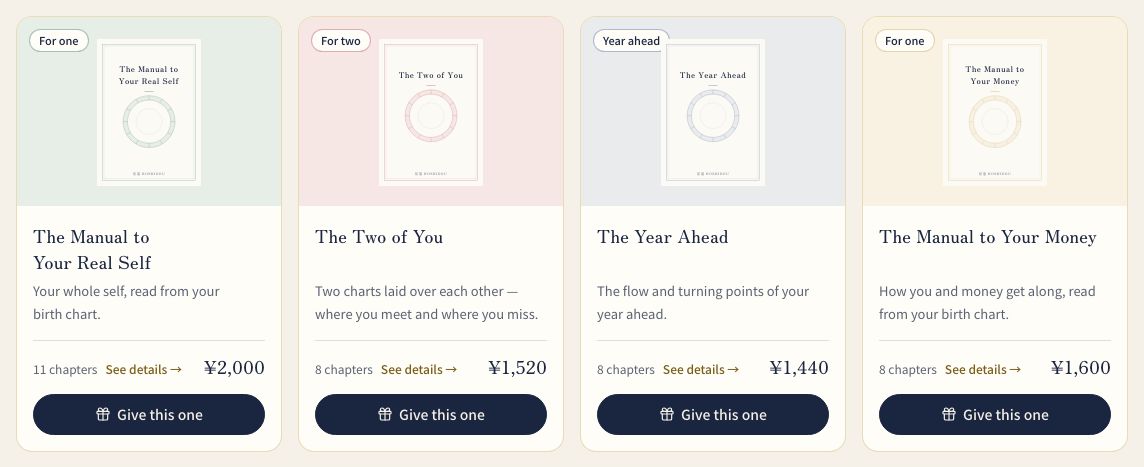
In the Star Scrolls area, open “Choose a scroll” and press “Give” (or “Give this one”) on the book you want. The screen reads “Choose the book to give. You don’t need their birth date.”
Addressee
On the gift screen, fill in “Recipient’s name (optional)” and “A short message card (optional)”. The name appears as the addressee on the recipient’s screen, and the message appears quietly at the top. Both are kept while you confirm your email.
Sign in
Sign in to your HOSHIDOU account. If you don’t have one, register for free. You confirm your email address by opening the link in the email or entering the 6-digit code. This is so you can find the gift link again later in Your Star Scrolls.
Pay
Check the details on “Final order review”. For a paid gift, use “Place order and go to payment”. For a free gift, press “Issue it for free”.
Send
When “Your gift link is ready” appears, send it with “Send by LINE or email”, or use “Copy link” and paste it where you like.
Checking on a gift
Gifts you gave appear in Your Star Scrolls when you filter by “Gifts”. Each one shows one of three states:
- Not yet redeemed
- Redeemed
- Expired
Only the person who receives the gift can read the book. Your screen shows the state and nothing of the text. When the recipient receives it, you get one email.
Receiving a gift
When the recipient opens the link, a screen says a gift has arrived for them. It describes the contents, how to receive it, and the deadline.
- Sign in to a HOSHIDOU account, or register for free
- Enter your own birth details. For a book for two, enter yours and the other person’s, and confirm their consent
- Press “Receive with these details”
Writing starts with what you entered, and it can’t be changed afterwards. You can read the finished book anytime from “Your Star Scrolls” after signing in.
Deadline
A gift can be received for one year from the day it was issued. After that it can no longer be received. Once paid, a gift can’t be cancelled or refunded at the giver’s request, whether it hasn’t been received yet or the deadline has passed. The deadline date is shown on the receiving screen and in Your Star Scrolls.
Related pages
- Star Scrolls — the Star Scroll types and how to buy one for yourself.
- Star Scroll pricing — what each book costs.