Getting Started
The first steps for using HOSHIDOU - signing up, adding your own birth date, reading Home, the first-time guide, birth details and your account.
The first steps for using HOSHIDOU. The app opens in your browser at https://app.hoshidou.com.
HOSHIDOU Pro and Star Scrolls
HOSHIDOU has two parts.
- HOSHIDOU Pro: where you open and read charts yourself. Home, birth details and the charts live here.
- Star Scrolls: AI-written readings that you buy one at a time.
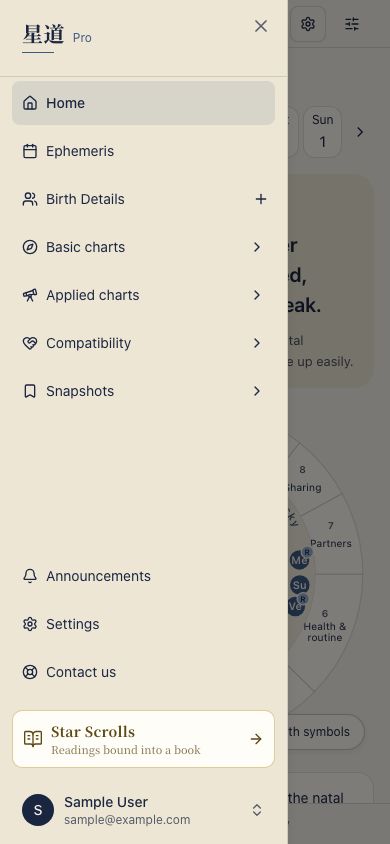
You switch with the door at the bottom of the sidebar. In HOSHIDOU Pro it reads “Star Scrolls” (Readings bound into a book); in Star Scrolls it reads “HOSHIDOU Pro” (Work the charts yourself). On a phone, open the sidebar with the menu button to find the same door. Your account is shared by both parts.
Pages in this section
Sign up and add your own birth date Three steps: account, confirm email, your own birth date.
Home How to read the screen that shows where today's sky lands in you.
First-time Guide What the first-run guide covers and how to replay a page's guide.
Managing Birth Details Adding entries, setting the Me entry, editing, deleting, and CSV import and export.
Account Sign-in methods including passkeys, plan, purchases & gifts, language & appearance, and account deletion.
Contact and feedback Questions, problem reports and help with Star Scroll purchases.