Where to find settings
Find chart display settings, app settings, and account language and appearance controls.
HOSHIDOU starts with default settings that work as they are. Once you settle into your reading style, adjust the calculation and display preferences to match.
Find a setting by what you want to change
| What you want to change | Where to open it |
|---|---|
| Chart calculation and look (planets, aspects, house system, colors, how much the tooltips say) | The gear Display settings at the top right of chart screens, Home and Ephemeris |
| Which applied charts show in the sidebar, personal transit alerts | Settings in the sidebar, then App |
| Chart PDF cover and design | Settings in the sidebar, then Output & PDF |
| Language, light or dark | The account menu at the bottom of the sidebar |
Opening Display settings
Chart appearance and calculation settings are in one place: the gear Display settings on chart screens, Home, and Ephemeris. Changes redraw the chart right away.
Display settings has four tabs.
| Tab | What it holds |
|---|---|
| Look | Presets, labels, and fine appearance (label size, chart theme, strength) |
| Bodies | Which planets and points appear, Arabic Parts, and fixed stars |
| Aspects | Aspects on/off and orbs, the Sun and Moon bonus, line thickness |
| Calc & tables | House system, zodiac system, tables and badges, and reading help (tooltips) |
The top of the panel shows which chart you are viewing (single wheel, triple wheel, or synastry). A setting that differs from the standard is marked, and each group has Reset to standard. The aspect settings of the triple wheel are shared with the single wheel, while synastry has its own. What the standard contains is listed in Default settings and calculation basis.
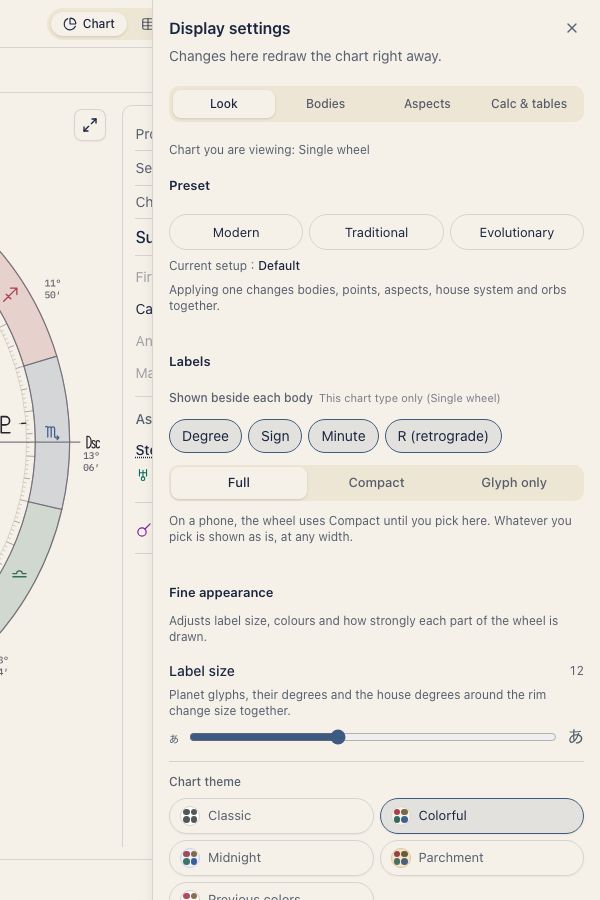
On a phone the gear is always in the header, and you can drag the panel to change its height.
Show applied charts in the sidebar
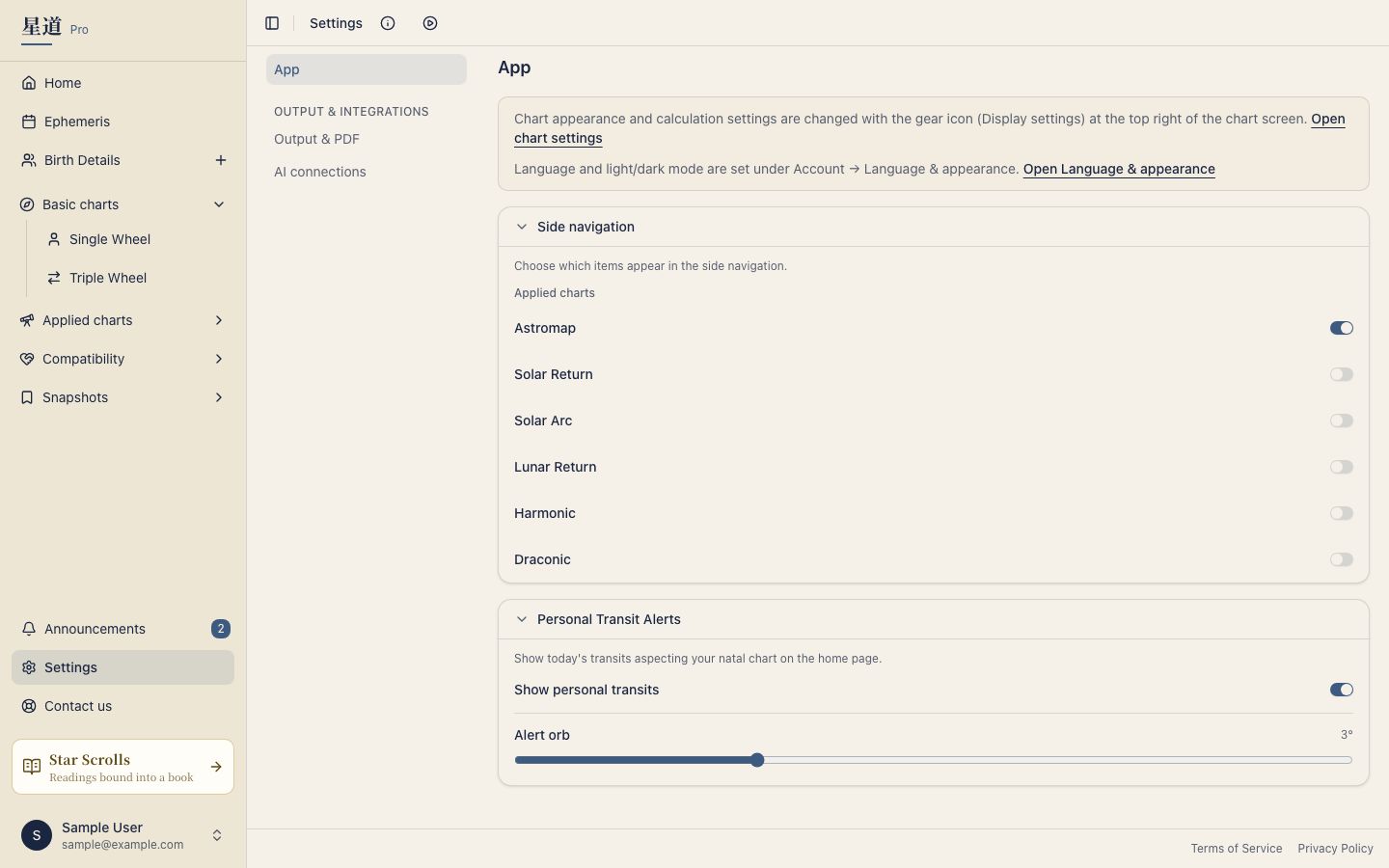
You choose which applied charts, such as Solar Return or Astromap, appear in the sidebar.
- Open Settings in the sidebar.
- Select App.
- Under Side navigation, switch on the charts you want.
There are six switches: Astromap, Solar Return, Solar Arc, Lunar Return, Harmonic and Draconic. Only Astromap is on at first. The others are off, so switch on the ones you use and they appear in the sidebar.
The same App page also holds the Personal Transit Alerts switch and the alert orb (1° to 8°, 3° at first).
Where the other settings are
The sidebar’s Settings area contains App, Output & PDF, and AI connections. Output & PDF holds chart PDF design controls; AI connections manages connected apps. Eligible accounts also see Affiliate.
For language and light or dark appearance, open Account at the bottom of the sidebar, then Language & appearance. You can also switch both directly in the account menu.