Readings
How to adjust tooltip information depth with reading levels, from beginner-friendly interpretations to data only.
Reading levels let you adjust how much information chart tooltips display, to match your experience. Beginners see detailed interpretations, and advanced users see just the data.
The default is Beginner. If you have not changed anything, tooltips show reading text for signs and houses. Intermediate shows term explanations, and Advanced shows data only.
Reading levels
HOSHIDOU offers four tooltip levels.
Beginner (default)
The most detailed mode. In addition to basic descriptions and keywords, tooltips show reading text written for your chart. The readings explain what placements like “Sun in Aries” or “Moon in the 7th house” mean in everyday terms.
Recommended if you are learning astrology or want to understand your chart in depth.
For example, hover over the Sun glyph (press it on a phone). You see the name, a short description, keywords, and the placement, plus reading text written for that placement.
Intermediate
Tooltips show the short description, keywords, and placement details (sign, degree, house). No reading text is displayed.
Best if you know the basics and understand the planets, but still want the placement at hand.
Advanced
Tooltips show only placement information (sign, degree, house). Descriptions and keywords are hidden.
A minimal display for experienced astrologers.
Off
Turns tooltips off entirely.
What each tooltip shows
The reading level changes how much each tooltip shows. At Advanced, every tooltip shows only the name and the data.
| Tooltip | Beginner | Intermediate |
|---|---|---|
| Planet | Name + description + keywords + placement + reading | Name + keywords + description + placement |
| Sign | Name + element/modality + description + keywords | Same as Beginner |
| House | Name + description + keywords + cusp + reading | Name + description + keywords + cusp |
| Aspect | Name + orb + description + keywords + body details + reading | Same as Beginner without reading |
| Distribution | Name + reading + keywords + planet list | Same as Beginner |
“Reading” is an extra that only Beginner shows. “Placement” combines sign, degree, and house. “Cusp” is the sign and degree at a house boundary.
Types of readings
Beginner mode shows five types of reading text.
Planet in sign
Readings based on which zodiac sign each body is in. They describe how the planet tends to show up through the qualities of its sign.
Planet in house
Readings based on which house each body is in. They explain which area of life the planet’s influence reaches, using everyday scenes.
House cusp in sign
Readings based on which sign each house cusp falls in. They describe the flavor that sign gives that area of life.
Aspects
Readings for the major aspects (conjunction, opposition, trine, square, sextile) between bodies.
Distribution
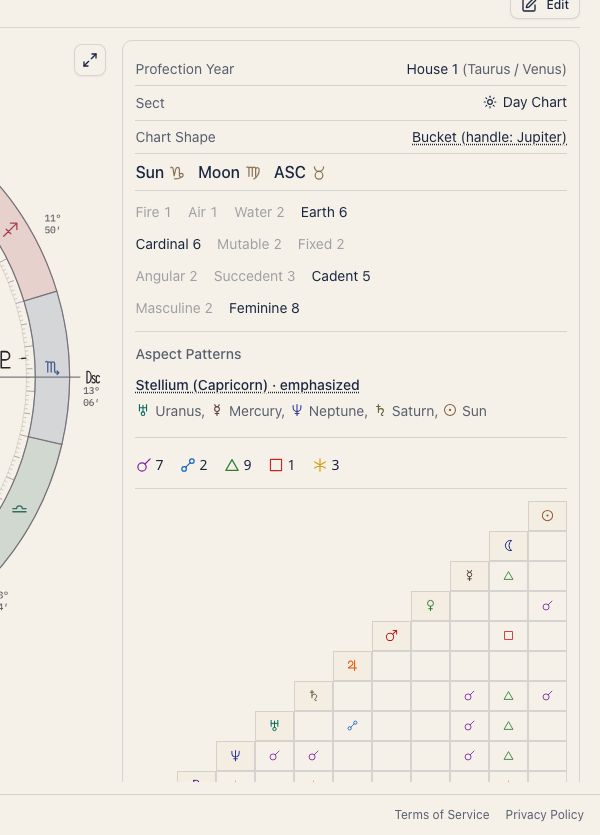
Readings based on how the planets are distributed. Each of the four elements (fire, earth, air, water), the three modalities (Cardinal, Fixed, Mutable), and the two polarities (Masculine and Feminine) has a description for when it dominates the chart. Masculine (yang) covers the odd-numbered signs counting from Aries, which are the fire and air signs. Feminine (yin) covers the even-numbered signs, the earth and water signs.
Supported bodies
Readings cover the following 24 bodies:
| Category | Bodies |
|---|---|
| Main planets | Sun, Moon, Mercury, Venus, Mars, Jupiter, Saturn, Uranus, Neptune, Pluto |
| Sensitive points | North Node, Lilith, South Node, Vertex, East Point, Part of Fortune |
| Asteroids | Chiron, Pholus, Ceres, Pallas, Juno, Vesta |
| Angles | ASC, MC |
Settings
Use Display settings (the chart screen gear) to change the reading level and display method. See also Tooltip Settings.
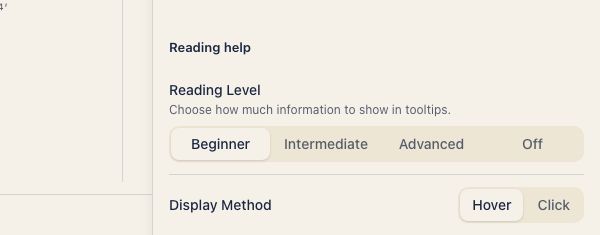
- Open the gear in the top right of the chart screen (Display settings)
- On the Calc & tables tab, under Reading help, choose Beginner, Intermediate, Advanced, or Off for Reading Level
- If you did not choose Off, choose Hover or Click under Display Method