Account
Name and sign-in, plan, purchases and gifts, language and appearance, and account deletion.
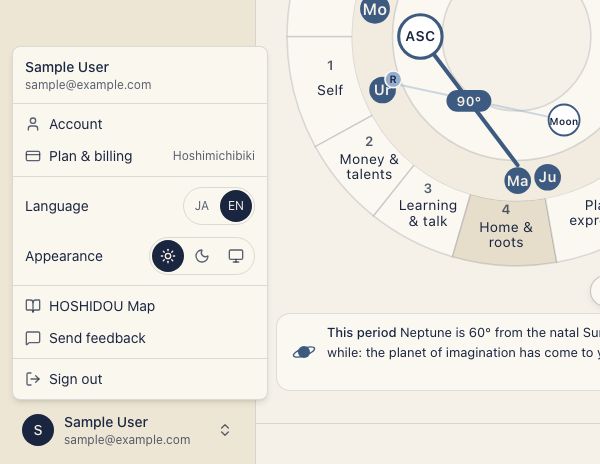
Your account is shared by HOSHIDOU Pro and Star Scrolls. Open Account from the account menu. The five sections appear in a left navigation on desktop and on the Account landing screen on a phone.
- Name & sign-in
- Plan
- Purchases & gifts
- Language & appearance
- Delete account
The Back to HOSHIDOU Pro or Back to Star Scrolls button takes you back to the part of the app you came from.
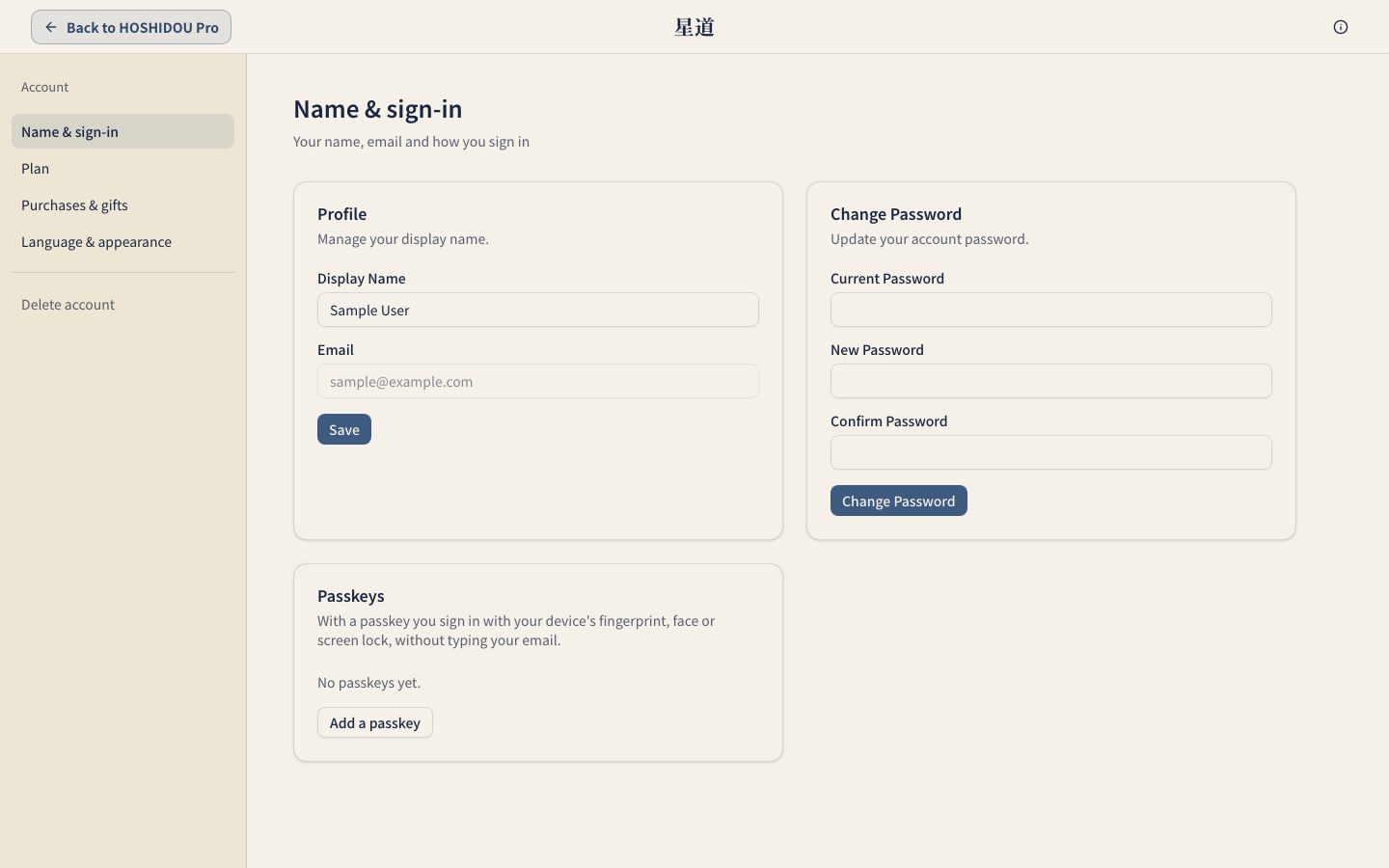
Name & sign-in
Display name
Change your Display Name and press Save. You can also see your email address here. It cannot be changed after registration.
Password
If you have a password, enter your Current Password, New Password and Confirm Password to change it. If you do not have one, choose Set a password and confirm with the 6-digit code emailed to you.
Passkeys
Add a passkey lets you sign in with your device’s fingerprint, face or screen lock. To add one, confirm with your current password or a 6-digit email code. You can keep up to ten passkeys and remove ones you no longer use. Passkeys are available after email verification.
If you can’t sign in
For everyday sign-in, use the 6-digit code emailed to you (Get a code) or a passkey. If you forget your password, choose Forgot your password? on the sign-in screen and we email you a reset link. If you never set a password, including right after signing up, sign in with the code.
To sign out, use Sign out in the account menu.
Plan
Open it from Plan & billing in the account menu, or from Plan on the Account screen. Here you manage your HOSHIDOU Pro paid plan. Star Scroll purchases are separate. You can see your Current plan, Next payment and Payment method. Compare plans lets you choose a new plan and review the change before confirming it. Invoices and payment method opens the invoice list and card update.
Cancellation takes effect at the end of the paid period, with no refund. If cancellation is scheduled, the end date appears. See Paid Plans and Purchases for plan details, cancelling, and refunds. Deleting your account is covered in the account deletion section of this page.
Purchases & gifts
Star Scroll purchases and gifts you sent appear newest first. Gifts, discounts, free beta-period purchases and refunds have labels. Use Load more to see older entries. HOSHIDOU Pro invoices are under Plan. See Star Scrolls for the readings themselves.
Language & appearance
Choose 日本語 or English under Language; these are the names of the options. Under Theme, choose Light, Dark or System. The account menu shows the same choice as Match device. Both settings apply across the app. The account menu also has a JA / EN button for switching language quickly.
Delete account
Delete my account deletes the account and related data, including birth details, saved charts and Star Scroll history. This cannot be undone.
Confirm with your password if you have one. Otherwise, enter the 6-digit Confirmation code sent by email; it is valid for ten minutes. Any paid plan ends when the account is deleted. Billing stops and the unused time is not refunded.