Display tab
How to choose the planets, sensitive points, asteroids, Arabic Parts, fixed stars and aspect types shown on a chart, on the Display tab of the gear Settings. Also covers the terms and decans rings and the tables and badges switches.
The Display tab decides what appears on a chart. It holds four groups: Bodies and points, Aspect types, Terms and decans, and Tables and badges.
Values you change here are saved to your account and apply on other screens too. When opened from Ephemeris, only Bodies and points appears.
Bodies and points
Bodies are grouped as chips that you switch on or off one at a time.
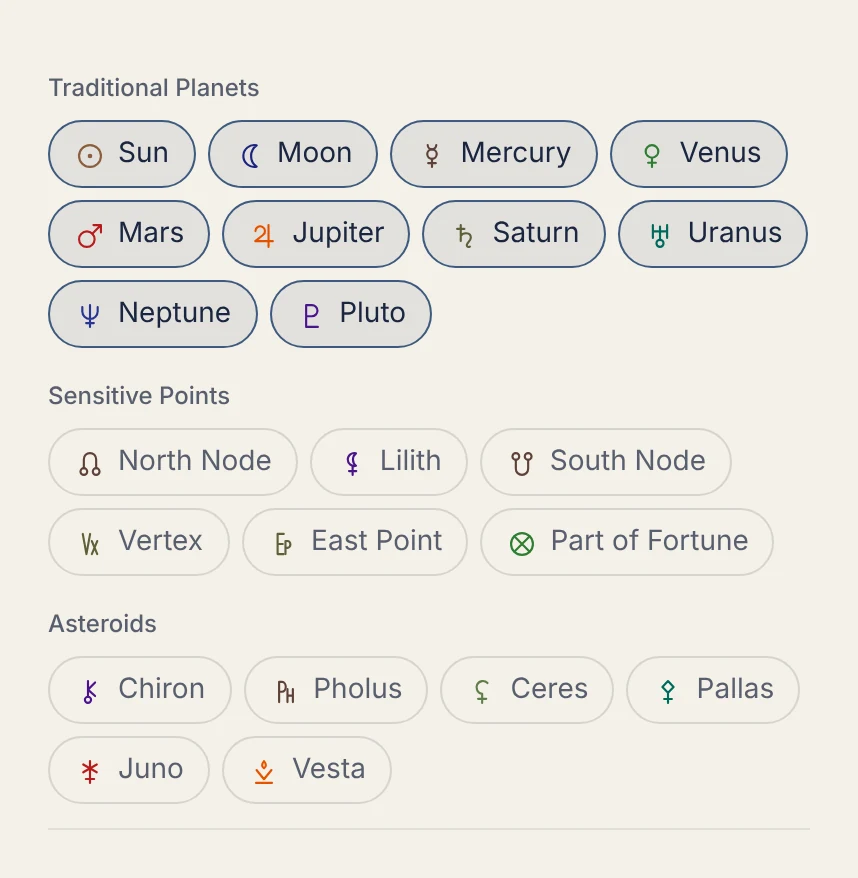
Traditional Planets
This group lists all ten planets, Sun to Pluto. The Traditional preset hides Uranus, Neptune and Pluto.
Sensitive Points
North Node, Lilith (True), South Node, Vertex, East Point, and Part of Fortune.
The North Node is the true node and Lilith is the true Lilith (the instantaneous position of the lunar apogee). Mean positions are not available. The South Node is opposite the North Node (180°) and appears only while the North Node is shown.
Asteroids
Chiron, Pholus, Ceres, Pallas, Juno, and Vesta.
Arabic Parts
Arabic Parts (also called lots) are points worked out from the Ascendant and the positions of bodies or other parts. The chart labels the first one “Part of Fortune”, and so do the chips on the Display tab.
Besides Part of Fortune, you can switch each of these on or off. The ones you pick appear in the Arabic Parts table in the Single Wheel’s Tables view. At first only Part of Fortune is on. Part of Fortune is the only part that can also be drawn on the wheel, which you choose under Sensitive Points.
- Part of Spirit: a point read for the direction your will takes
- Part of Eros: a point read for passion and what draws you
- Part of Necessity: a point read for limits that are hard to avoid and the duties you take on
- Part of Courage: a point read for the push to step out boldly
- Part of Victory: a point read for where what you believe in pays off
- Part of Nemesis: a point read for what comes to an end and what you have to let go
- Part of Marriage: a point read for partnership and marriage themes
Fixed stars
Show fixed stars detects and shows conjunctions between fixed stars and bodies. Prominent stars such as Regulus, Algol, Spica, and Antares appear on the zodiac ring. The width is set by Fixed star orb on the Calculation tab.
Aspect types
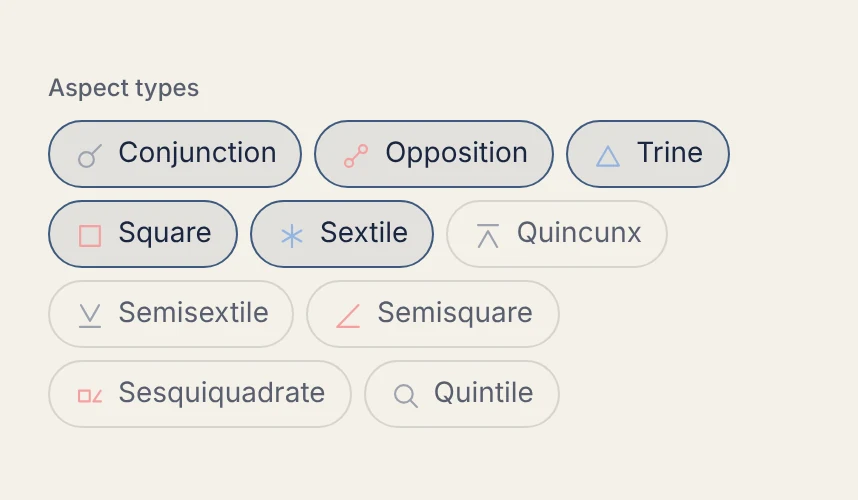
Each aspect type has an on/off switch.
You can choose from ten aspects: conjunction, opposition, trine, square, sextile, quincunx, semi-sextile, semi-square, sesquiquadrate and quintile. Biquintile, septile and novile are not available.
Major aspects
Conjunction (0°), Sextile (60°), Square (90°), Trine (120°), and Opposition (180°). These are the five fundamental aspects.
Minor aspects
Semi-sextile (30°), Semi-square (45°), Sesquiquadrate (135°), Quincunx (150°), and Quintile (72°). Switch them on when you want a more detailed reading.
Terms and decans
Draws the decan and term divisions and their rulers inside the zodiac band. The Decan ring and Term ring switches both start off. You also choose the decan and term systems here. See terms and decans in Traditional Techniques for details.
Tables and badges
Switches classical information in the single wheel’s data panel and tables on or off.
- Sect: whether the birth is by day or by night. See Sect
- Profection year: moves one house per year to find that year’s house and ruler. See Profection Year
- Dignities and Mutual reception: on from the start. See Traditional Techniques
- Declination: the declination column and the out-of-bounds badge. Off at first
Reset to standard
If you have changed too much, press Reset to standard on a group to put that group’s settings back.
Related pages
- Calculation tab — aspect orbs, zodiac and house system.
- Calculation Presets — switch planet, aspect and orb settings together.
- Planets — what each planet means and how to read it.