Synastry Chart
How to overlay two birth charts to explore compatibility between two people.
The Synastry Chart overlays two natal charts onto a single wheel, letting you see how one person's planets interact with another's. By examining the aspects (angular relationships) that form between the two sets of planetary positions, you can uncover the dynamics, tensions, and harmonies that shape a relationship.
Synastry is not limited to romantic partnerships. It is equally useful for exploring family bonds, friendships, and business relationships.
Accessing the Synastry Chart
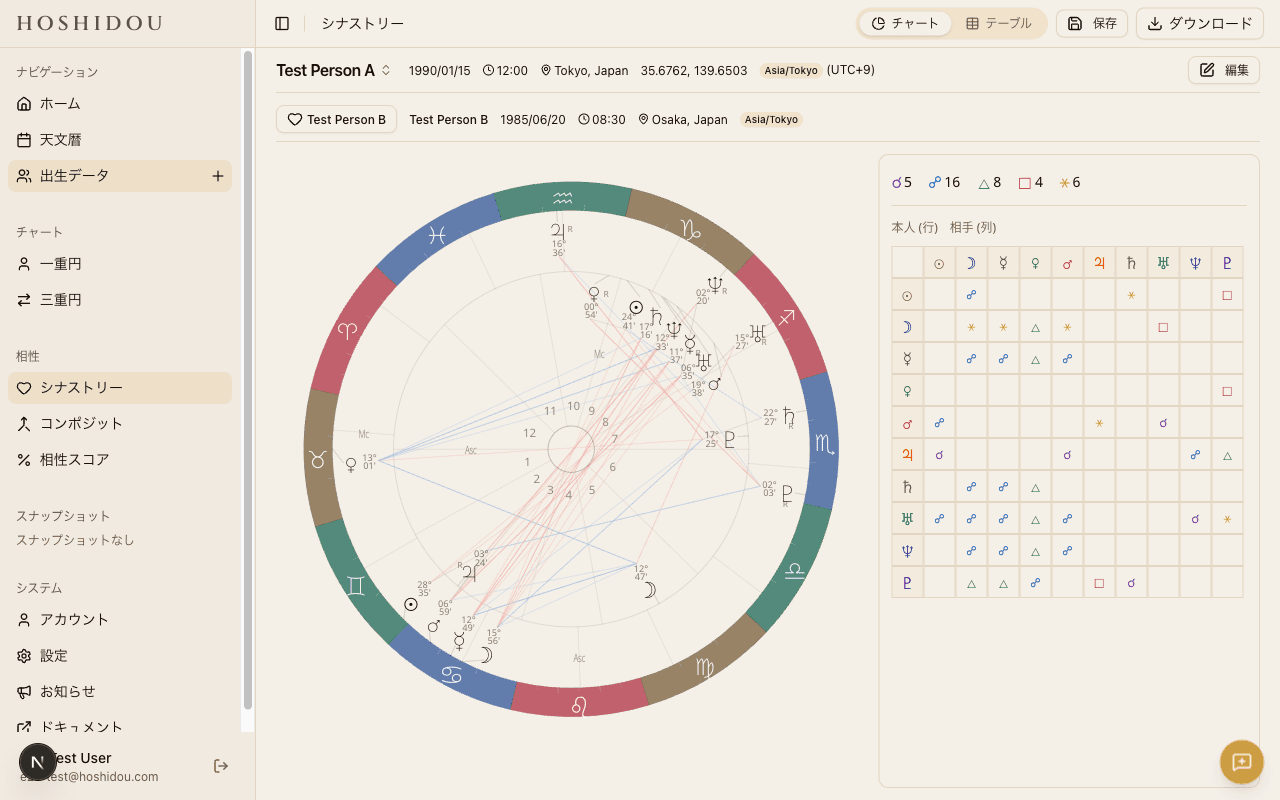
To open a synastry chart, select Synastry Chart from the view switcher at the top of the chart screen. A partner picker dialog will appear, listing all the birth data profiles you have registered. Choose two people — Person A and Person B — and the chart will be drawn.
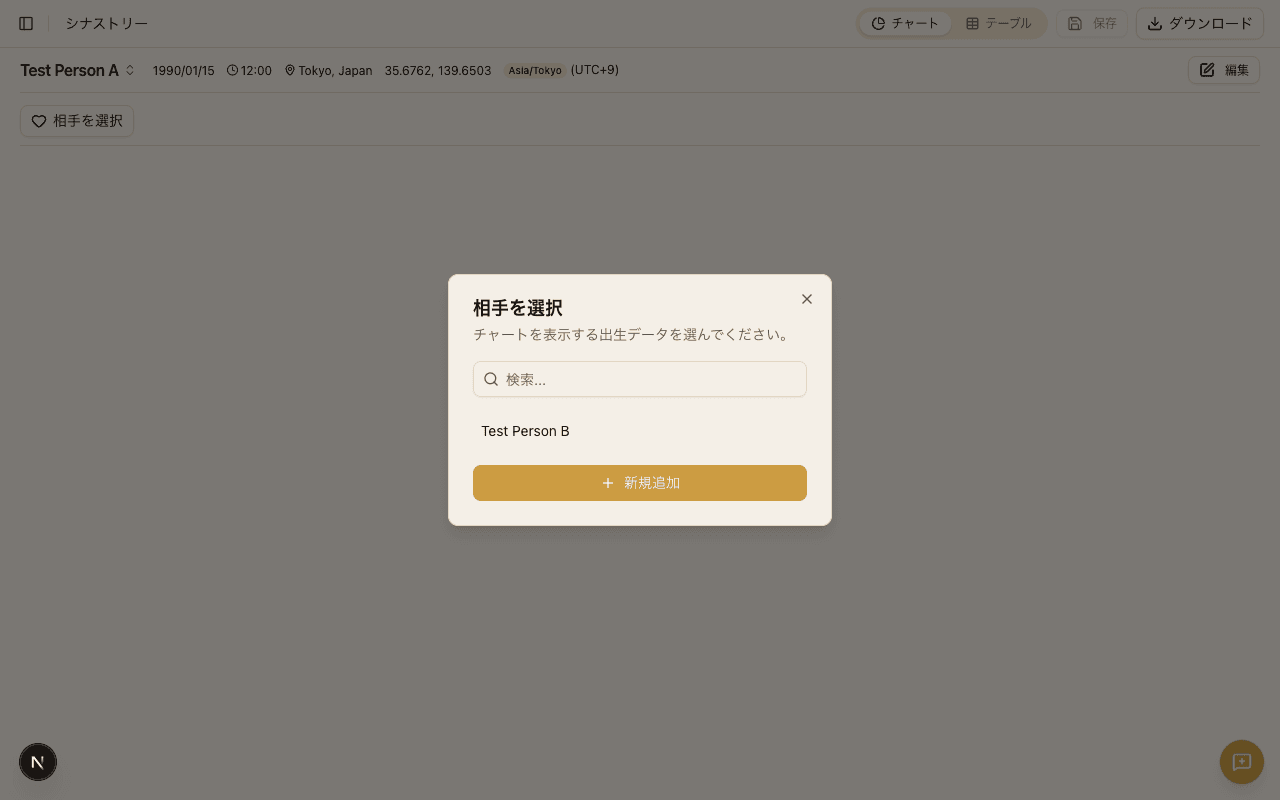
You can change the pairing at any time. Tap the person names displayed above the chart to reopen the partner picker dialog.
Reading the Chart
The synastry wheel uses a two-ring layout: an inner ring and an outer ring.
Inner Ring — Person A's Natal Planets
The inner ring displays Person A's natal planetary positions. House cusps are also calculated from Person A's birth data.
Outer Ring — Person B's Natal Planets
The outer ring displays Person B's natal planetary positions. By reading which of Person A's houses contain Person B's planets, you can identify which areas of life the other person influences most strongly.
Cross-Aspect Lines
The aspect lines drawn across the center of the wheel represent aspects formed between Person A's planets and Person B's planets. Unlike the Single Wheel, which shows aspects between one person's own planets, the synastry chart shows only inter-chart aspects between the two individuals.
- Red lines — Hard aspects (square, opposition, etc.)
- Blue lines — Soft aspects (trine, sextile, etc.)
Cross-Aspect Matrix
Switch to the table view to access the cross-aspect matrix. This grid lists all of Person A's planets along the rows and all of Person B's planets along the columns, with each cell showing any aspect that forms between the pair.
The matrix makes it easy to spot relationships that might be hidden behind overlapping lines on the wheel. Each cell displays both the aspect type and the orb (the angular difference from exactness), so you can quickly judge the strength of each connection.
Tooltips
Hovering over (or tapping) a planet glyph or aspect line on the chart reveals a tooltip. In the synastry chart, the tooltip clearly identifies which person the planet belongs to, so there is no confusion between the inner and outer rings.
Tooltip content and behavior can be adjusted in Tooltip Settings.
Synastry Invite Link
The synastry invite link feature lets you share a synastry chart with someone who hasn't registered birth data in HOSHIDOU. Tap the Share button on the chart screen to generate an invite link. When the recipient opens the link in their browser, they see a form to enter their birth data. After submitting, a synastry chart for both of you is automatically created. The link includes OGP metadata, so a chart preview image appears when shared on social media.
Exporting the Chart
You can export your synastry chart as an image or PDF. For instructions and supported formats, see Chart Export.