Points & Aspects Settings
How to customize which celestial bodies and aspects are displayed, and adjust orb values.
The Points & Aspects settings let you customize which celestial bodies (planets and sensitive points) and aspect types appear on your charts, and fine-tune the orb (tolerance in degrees) for each aspect. This gives you full control over the level of detail in your readings.
Planet Toggles
The celestial bodies you can display are organized into three columns, each with individual on/off toggle switches.
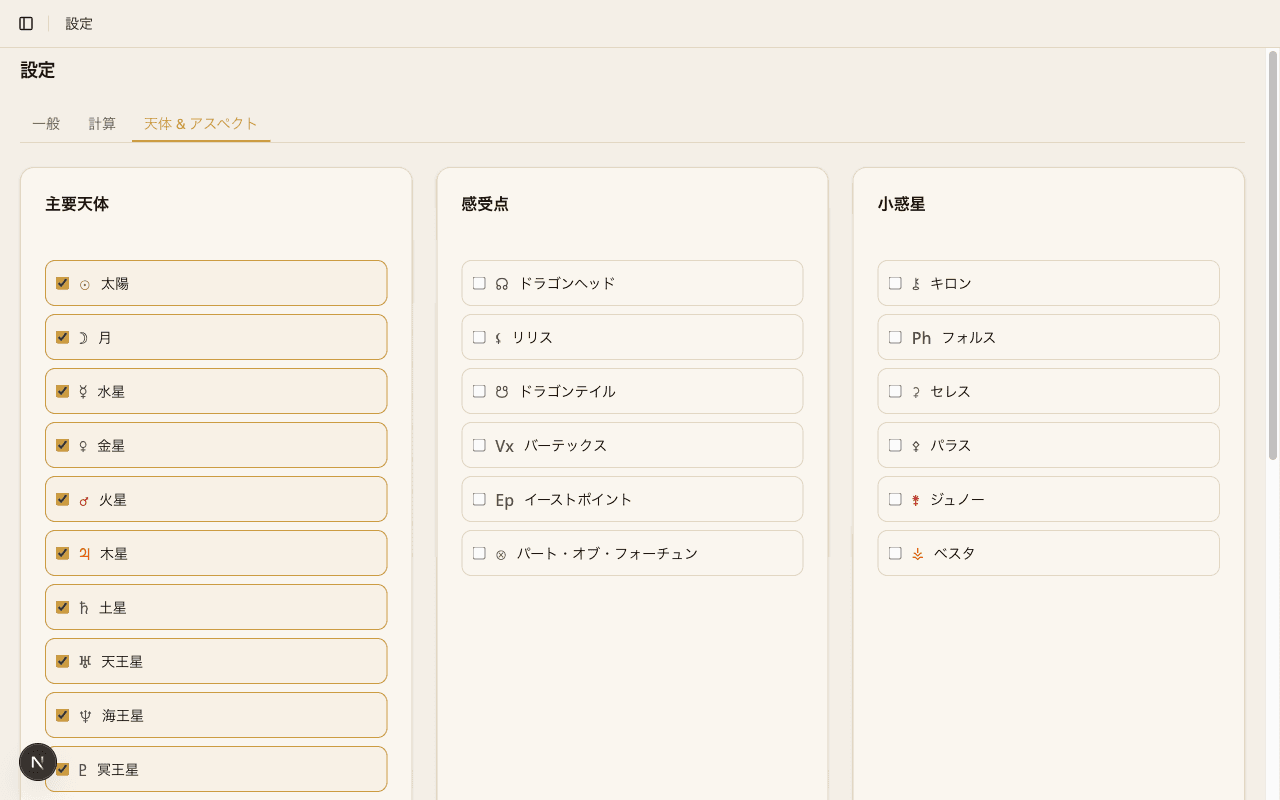
Traditional Planets
Sun, Moon, Mercury, Venus, Mars, Jupiter, and Saturn. These are the seven classical bodies used in astrology since antiquity and are all enabled by default.
Modern Planets
Uranus, Neptune, and Pluto. These are widely used in modern Western astrology and are all enabled by default.
Sensitive Points
Chiron, North Node, South Node, Lilith, and Part of Fortune. Some of these are enabled by default while others are off. Toggle them on or off depending on your needs.
Aspect Toggles
Each aspect type can be individually toggled on or off. Every aspect also has an orb slider that lets you adjust the tolerance in degrees.
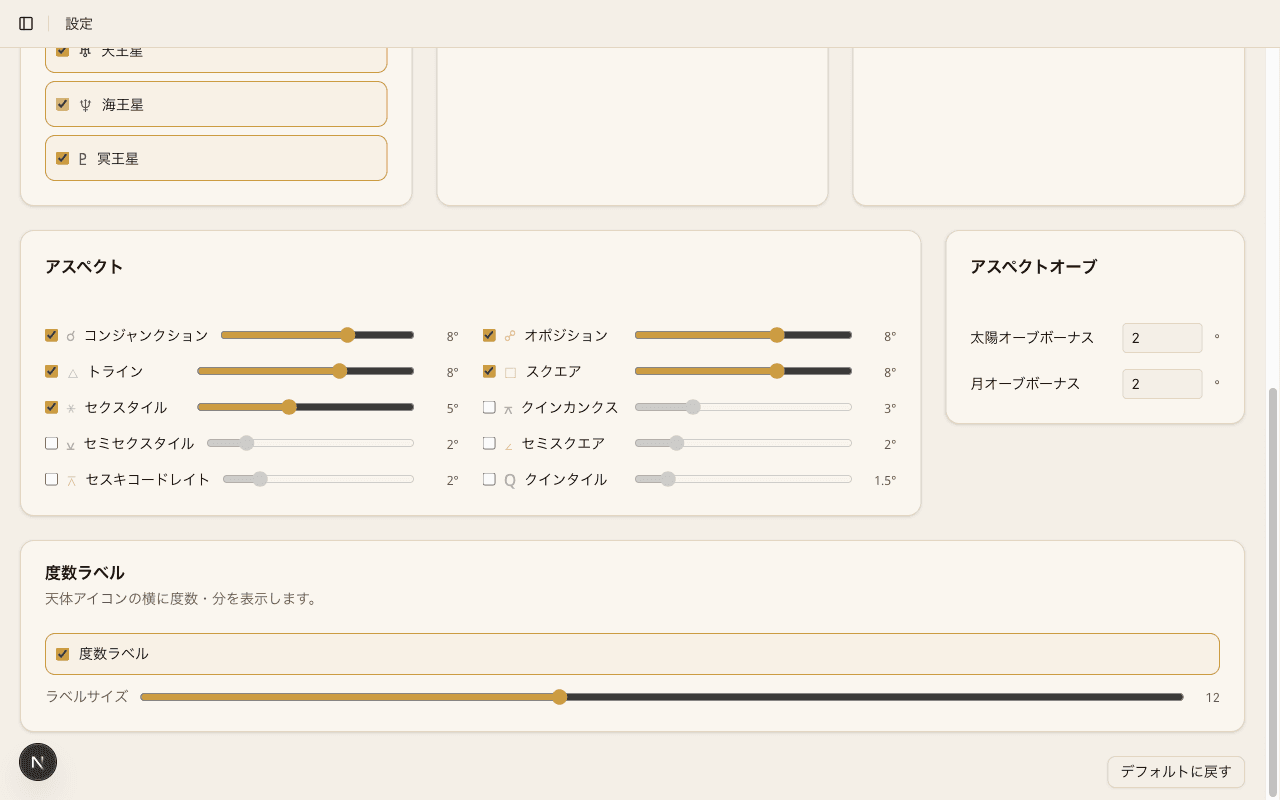
Major Aspects
Conjunction (0 degrees), Sextile (60 degrees), Square (90 degrees), Trine (120 degrees), and Opposition (180 degrees). These are the five fundamental aspects and are all enabled by default.
Minor Aspects
Semi-sextile (30 degrees), Semi-square (45 degrees), Sesquisquare (135 degrees), and Quincunx (150 degrees). Enable these when you want a more detailed reading.
Luminary Orb Bonus
The Sun and Moon are considered especially influential in astrology, so they receive extra degrees of orb (for example, +2 degrees) beyond the base value. This means aspects involving the Sun or Moon are detected over a wider range than those between other bodies.
Degree Label Display
An option lets you show exact degree labels on the chart wheel. When enabled, the precise zodiac degree appears next to each planet glyph, so you can read positions without switching to the table view.
Reset to Defaults
If you have experimented with the settings and want a clean slate, press the Reset to Defaults button. This restores all planet toggles, aspect toggles, and orb values to their original state.
Arabic Parts
Part of Fortune is already included in the sensitive points, but additional Arabic Parts can be individually toggled on or off.
- Part of Spirit - a sensitive point indicating spiritual purpose and the direction of the will
- Part of Eros - a sensitive point related to themes of passion and attraction
- Part of Marriage - a sensitive point related to partnership and marriage themes
Each part has its own independent toggle, so you can enable only the ones relevant to your practice.
Fixed Stars
A toggle lets you display fixed stars on the chart. When enabled, prominent fixed stars such as Regulus, Algol, Spica, and Antares appear on the zodiac ring.
The fixed stars feature includes an orb slider that controls how close a planet must be to a fixed star for the conjunction to be highlighted. A narrower orb means only very tight alignments are shown.