Managing Birth Data
How to register birth date, time, and location, and how to edit, delete, import, and export birth data entries.
This page explains how to register and manage birth data in HOSHIDOU.
What Is Birth Data?
Birth data is the set of three pieces of information needed to calculate a horoscope: date of birth, time of birth, and place of birth. The date determines the positions of planets along the zodiac, while the time and place determine house cusps and the precise degree of fast-moving bodies like the Moon.
The more accurate your birth data, the more precise your chart will be. The Moon, for example, travels roughly 12-14 degrees per day, so knowing the exact birth time makes a significant difference in its placement.
Registering Birth Data
Follow these steps to register a new birth data entry.
- Open Birth Data Manager from the sidebar or navigation
- Click the New Entry button
- Enter a Name — this is the label that identifies this person's data (e.g. your own name, a friend's name)
- Enter the Birth Date — use the date picker to select the year, month, and day
- Enter the Birth Time — use the time picker to select the hour and minute
- Enter the Birth Place — choose from three location input methods described below
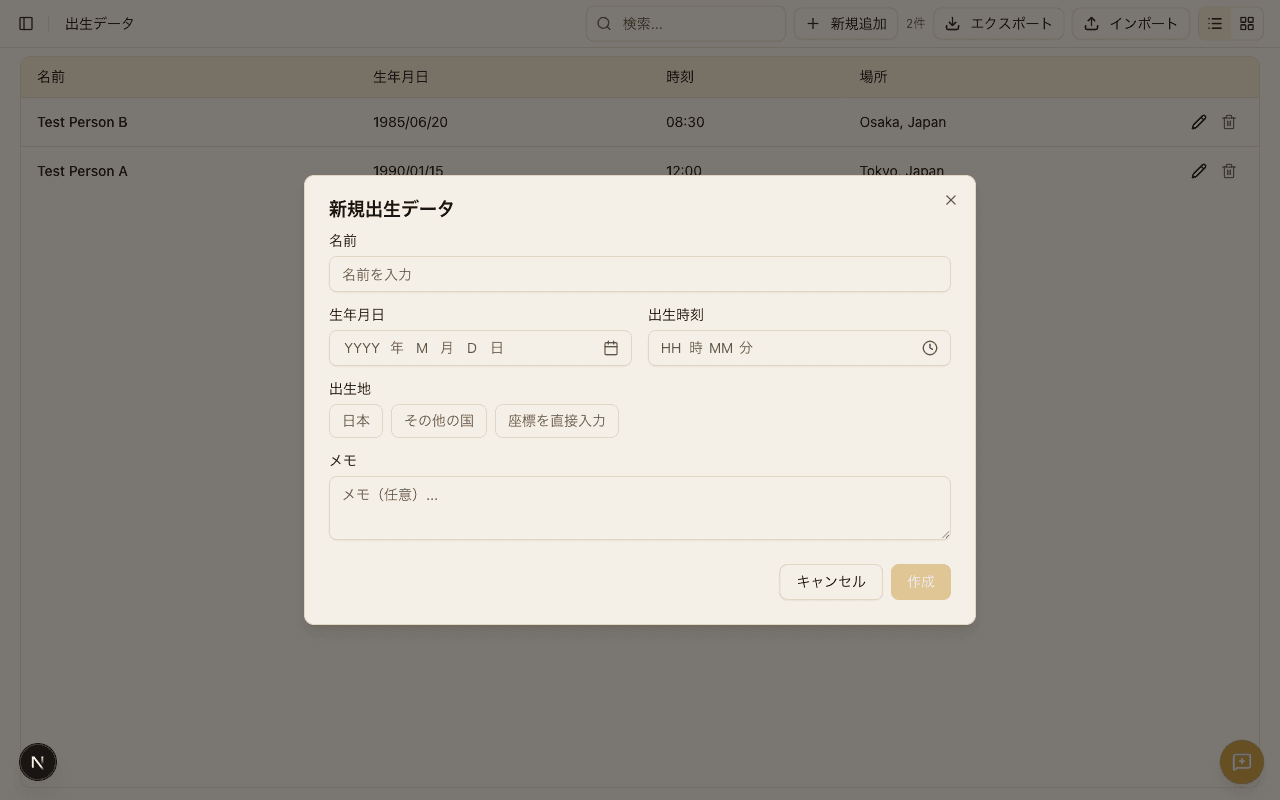
Birth Place Input Methods
The birth place is needed to pinpoint the exact latitude and longitude for chart calculation. HOSHIDOU offers three ways to enter it.
- Japan prefecture/city picker — ideal for locations within Japan. Select a prefecture first, then select a city or ward within it
- International location search — type a city name to search. Use this when registering a birth place outside Japan
- Coordinate input — enter latitude and longitude directly. Useful when you have precise coordinates available
What if the birth time is unknown? — You can still generate a chart without a birth time, but house positions and the Moon's degree will be approximate. HOSHIDOU uses noon (12:00) as the default when no time is provided. It is worth checking records such as a birth certificate, as the time is often noted there.
The Birth Data List
All registered birth data entries appear in a list view. Each entry shows the person's name, date of birth, and birth place, giving you a quick overview of your saved data.
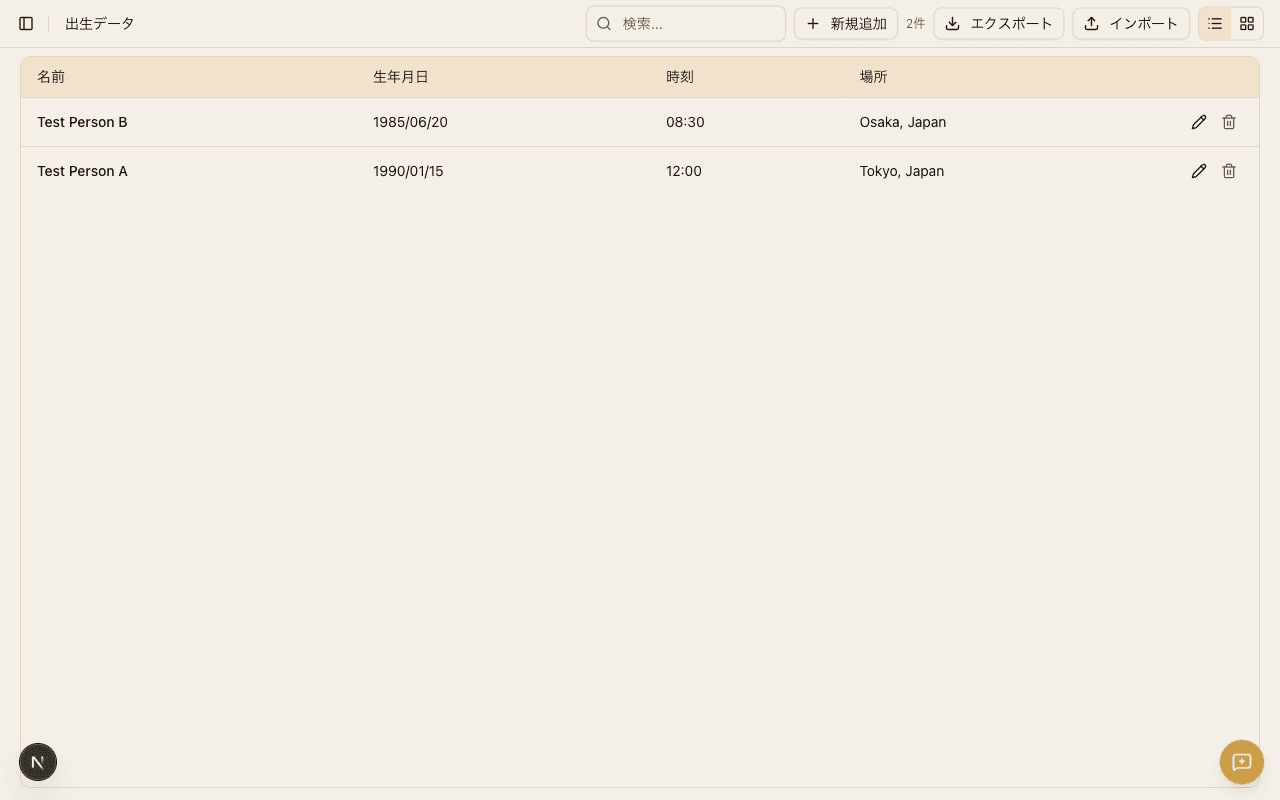
The list lets you manage birth data for multiple people in one place. By saving entries for family members, friends, or clients alongside your own, you can switch between charts at any time.
Editing and Deleting
You can edit or delete any birth data entry at any time.
- Edit — select an entry from the list and click the Edit button. You can change the name, birth date, birth time, and birth place
- Delete — select an entry from the list and click the Delete button. Deleted entries cannot be recovered, so proceed with care
CSV Import and Export
HOSHIDOU supports CSV import and export for bulk management of birth data.
- Export — click the Export button on the list screen to download all registered entries as a CSV file
- Import — click the Import button to load a CSV file and register multiple entries at once. Make sure the column order matches the format of exported files
This is useful when you need to register many entries at once or keep a backup of your data.
Switching Between People
In chart views such as the Single Wheel and Triple Wheel, a dropdown at the top of the screen lets you switch which person's birth data is displayed. The dropdown lists all registered entries in alphabetical order.
When you select a different person, the natal chart redraws immediately. Use this to quickly compare charts for different people.
Primary Birth Data
You can designate one birth data entry as your "primary" entry. When set, the primary entry is used for home page transit alerts and as the default chart selection. To set a primary entry, tap the star icon next to the desired entry in the birth data list.