Home Page
How to navigate and use the HOSHIDOU home page.
This page explains what the home page shows and how to change the date, time, and location of the displayed chart.
What the Home Page Shows
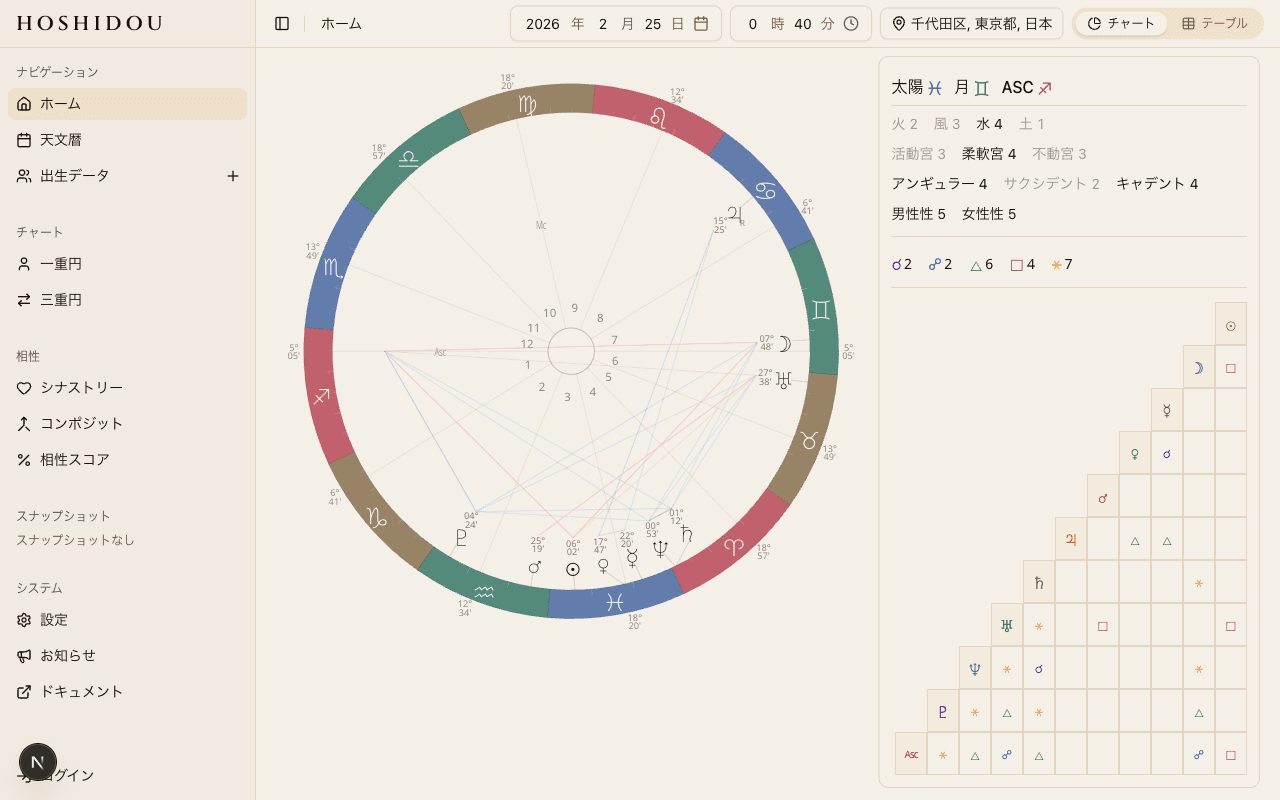
When you open the home page, you see a chart of the sky right now. This is not a personal natal chart — it shows the current positions of celestial bodies for the location and time you have selected.
No account or login is required. Anyone can start using the home page immediately.
Header Controls
The header at the top of the home page groups together the controls for adjusting the chart's date, time, and location.
Date Picker
The Date Picker lets you view the chart for any date. It defaults to today. Select a past or future date to see the planetary positions for that day.
Time Picker
The Time Picker adjusts the time of the chart. The Moon and other bodies shift noticeably over the course of a day, so changing the time gives you a more precise snapshot of the sky.
Location Picker
The Location Picker sets the observation point for the chart. The location affects house cusps (house boundary positions) and the Moon's degree.
There are two ways to set a location:
- Japan prefecture picker — quickly select any prefecture within Japan
- International search — type a city name to find locations worldwide
Chart and Table Toggle
Below the chart, a toggle button lets you switch between Wheel view and Table view. The wheel displays the chart graphically, while the table lists detailed data for each body — sign, degree, house, and more.
The home page works without an account. You can check today's sky at any time, no login needed.
Personal Transit Alerts
When you are logged in and have a primary birth data entry set, the home page displays personal transit alerts. These notify you whenever a transiting planet forms a significant aspect to a planet in your natal chart. For example, you might see "Transit Saturn square your natal Moon."
Transit alerts are calculated based on your primary birth data entry. To learn how to set a primary entry, see Managing Birth Data.
Next Steps
The home page shows the current sky, but registering your birth data unlocks more powerful features — including the Single Wheel (your personal chart) and the Triple Wheel (with transits and progressions overlaid).
See Managing Birth Data to get started.