Ephemeris
How to view daily planetary positions and astronomical events by month.
An ephemeris is a reference table showing the daily positions of celestial bodies along with key astronomical events. HOSHIDOU's ephemeris lets you see where every planet sits each day, when signs change, when retrogrades begin, and much more - all organized by month.
The ephemeris provides two views: a Positions tab and an Events tab, each offering a different lens on the month's planetary data.
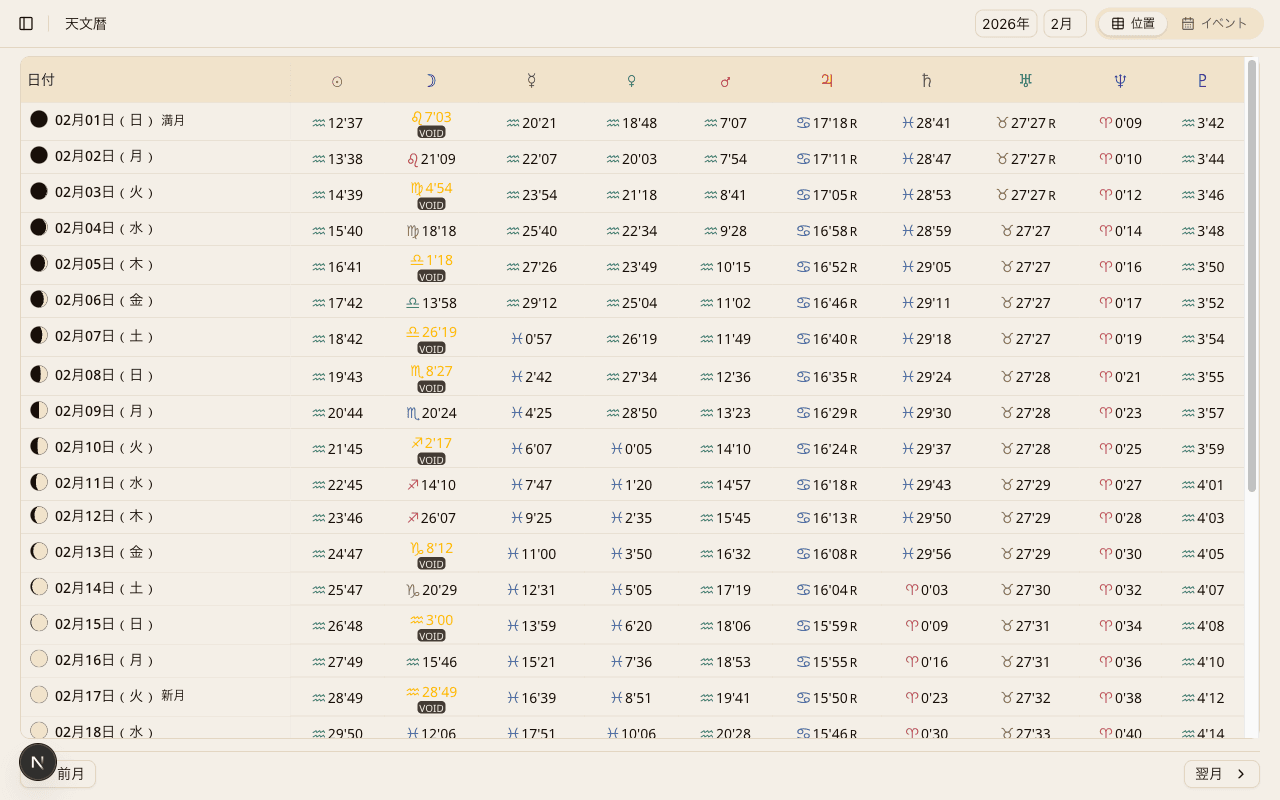
Positions Tab
The Positions tab displays a monthly table of planetary positions, with one row per day. Each column shows the sign and degree for a given celestial body.
For example, you can quickly confirm that Mars was at 22°15' Leo on February 5th. This view is especially useful when a planet is near a sign boundary or when you want to track retrograde motion day by day.
Void-of-Course Moon
The Positions tab also includes Void-of-Course Moon periods. A Void-of-Course Moon occurs between the moment the Moon makes its last major aspect in the current sign and the moment it enters the next sign.
Many astrologers treat this window as a time to avoid starting new ventures or making important decisions, making it one of the most frequently consulted pieces of ephemeris data.
Events Tab
The Events tab lists the major astronomical events for the month in chronological order. It surfaces timing shifts that can be difficult to spot from a wheel chart alone.
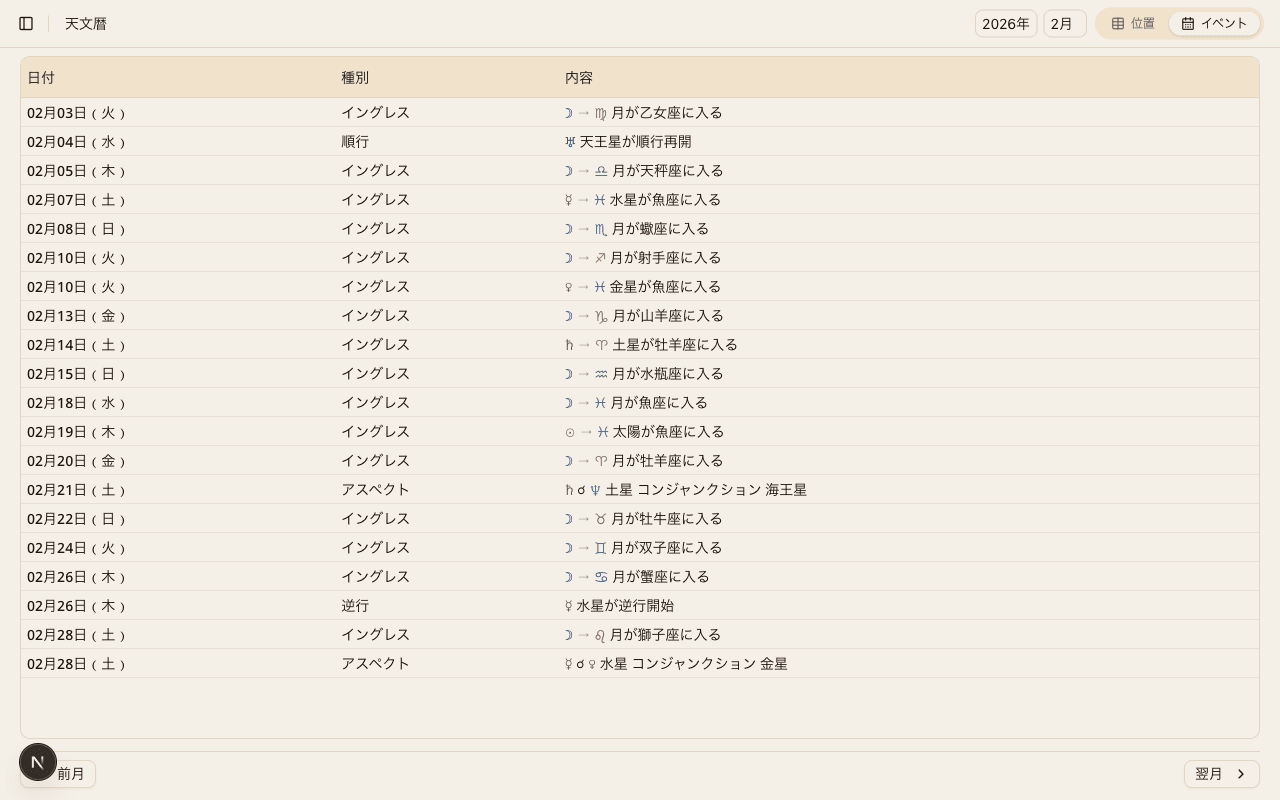
Ingresses
Displays the exact date and time when a planet enters a new zodiac sign. For instance, you can see precisely when Venus moves into Pisces or when Mars enters Taurus.
Retrograde and Direct Stations
Shows when a planet stations retrograde (appears to reverse direction) and when it stations direct (resumes forward motion). This makes it easy to track Mercury retrograde periods and the retrograde cycles of all other planets.
Exact Aspects
Lists the date and time when two planets form an exact aspect - conjunction, opposition, trine, and so on. Knowing when an aspect perfects helps you identify the moments of peak planetary influence.
Lunar Phases
Displays the four primary lunar phases: new moon, first quarter, full moon, and last quarter. Each entry includes the exact date and time, along with the zodiac sign in which new moons and full moons occur.
Month Navigation
Use the previous / next controls at the top of the ephemeris to browse different months. Step back to review past configurations, or move forward to preview upcoming events and planetary shifts.
Settings Connection
The columns that appear in the Positions tab are determined by your points settings. Any celestial body you have turned off in settings will also be hidden from the ephemeris table.
To adjust which bodies are shown, visit Points & Aspects Settings.
iCal Export
You can export ephemeris events to your calendar app. Tap the Export to Calendar button on the Events tab to download that month's events (ingresses, retrograde stations, exact aspects, and lunar phases) as an iCal file (.ics). Import the file into Google Calendar, Apple Calendar, Outlook, or any app that supports .ics to keep astronomical events alongside your daily schedule.